Analyze your Chess.com games. Move by move.
Analyze an individual Chess.com game and see exactly what happened, from brilliant moves and best moves to inaccuracies, mistakes and blunders.
Explore the critical moments of the game, understand how the evaluation changed, and use Stockfish to investigate positions and alternative lines even further.
Analyze your own Chess.com games. No manual PGN upload required when using your Chess.com games through GrandChess.
What is Chess.com Game Analysis?
Understand what happened in one game.
An engine can tell you that a move is worth -2.5, but when you look back at one of your own games you mostly want to understand what actually happened.
GrandChess lets you go through your game move by move and see which moves were strong, which were inaccurate, where mistakes and blunders occurred, and which moments changed the course of the game.
The goal is not simply a verdict on the game. It is insight into the moments that decided it: the move classifications, the changes in evaluation, the strong moves you found, and the opportunities you missed.
And when a position raises more questions, you can switch on Stockfish and investigate it further instead of only reviewing what was played.
See every move classification
See more than just an engine score.
Every move in the game can carry a classification next to the notation, so you can read the game rather than decode a list of numbers. These are the classifications GrandChess uses, shown with the same badges you see in the game view.
Brilliant
A particularly strong move that stands out in the position.
Best
The engine's strongest move in the position.
Excellent
A very strong move that keeps the quality of your position high.
Good
A solid move that fits the position well.
Inaccuracy
A small but meaningful loss of accuracy.
Mistake
A move that worsens the position more significantly.
Blunder
A serious error that substantially changes the evaluation or misses a critical opportunity.
Winning move
A move that takes the game into a winning position for you.
Equalizing move
A move that brings a worse position back to balance.
Missed winning move
A winning opportunity was available in the position, but it was not taken.
Missed equalizing move
A chance to equalize was available in the position, but it was not taken.
Theory
A move that still follows known opening theory.
Masters move
A move beyond theory that still matches moves played in master games.
Repertoire move
A move that belongs to the opening repertoire you saved in GrandChess.
Theory, Masters move and Repertoire move appear where that information is available for the position, for example when the move still follows opening theory, matches master games, or belongs to the repertoire you saved in GrandChess.
Find the moments that mattered
Where did the game change?
A game is not just a win or a loss. It is a series of decisions, and usually only a few of them decided the result. The evaluation graph and the move classifications make those moments easy to find.
Where the evaluation changed during the game
Which move had the largest impact on the position
When an advantage was won or given away
Where an inaccuracy, mistake or blunder occurred
Where a winning or equalizing opportunity was missed
Which moves were particularly strong
Explore the game with Stockfish
Go deeper with Stockfish.
Reviewing the game is the first step. From any position in the game you can switch on Stockfish and start investigating instead of only reading the analysis that is already there.
Explore alternative lines
Select a position and use Stockfish to explore different continuations and candidate moves.
Ask what could have happened
Play a different move on the board and investigate what would have happened instead.
Understand critical positions
Use engine analysis when you want to investigate a particular position rather than simply reviewing the original game.
Game review
The game as it was played
Step through the real moves with their classifications and the evaluation graph, and see how the game developed from move one to the final position.
Stockfish exploration
The game as it could be
Leave the game line, try other moves on the board, and let Stockfish evaluate the positions you reach, including its best line from there.
From game to understanding
Don't just see the mistake. Understand the position.
A classification like "Blunder" is a starting point, not the whole explanation. The useful part is understanding why the position changed.
- 1
Blunder
You can see that the move was a serious error.
- 2
Position
Look at the position where the decision was actually made.
- 3
Alternative
Use Stockfish to explore what stronger moves were available.
- 4
Understand
Compare the lines and understand why the position changed.
Analyze your Chess.com games
Bring your Chess.com games into GrandChess.
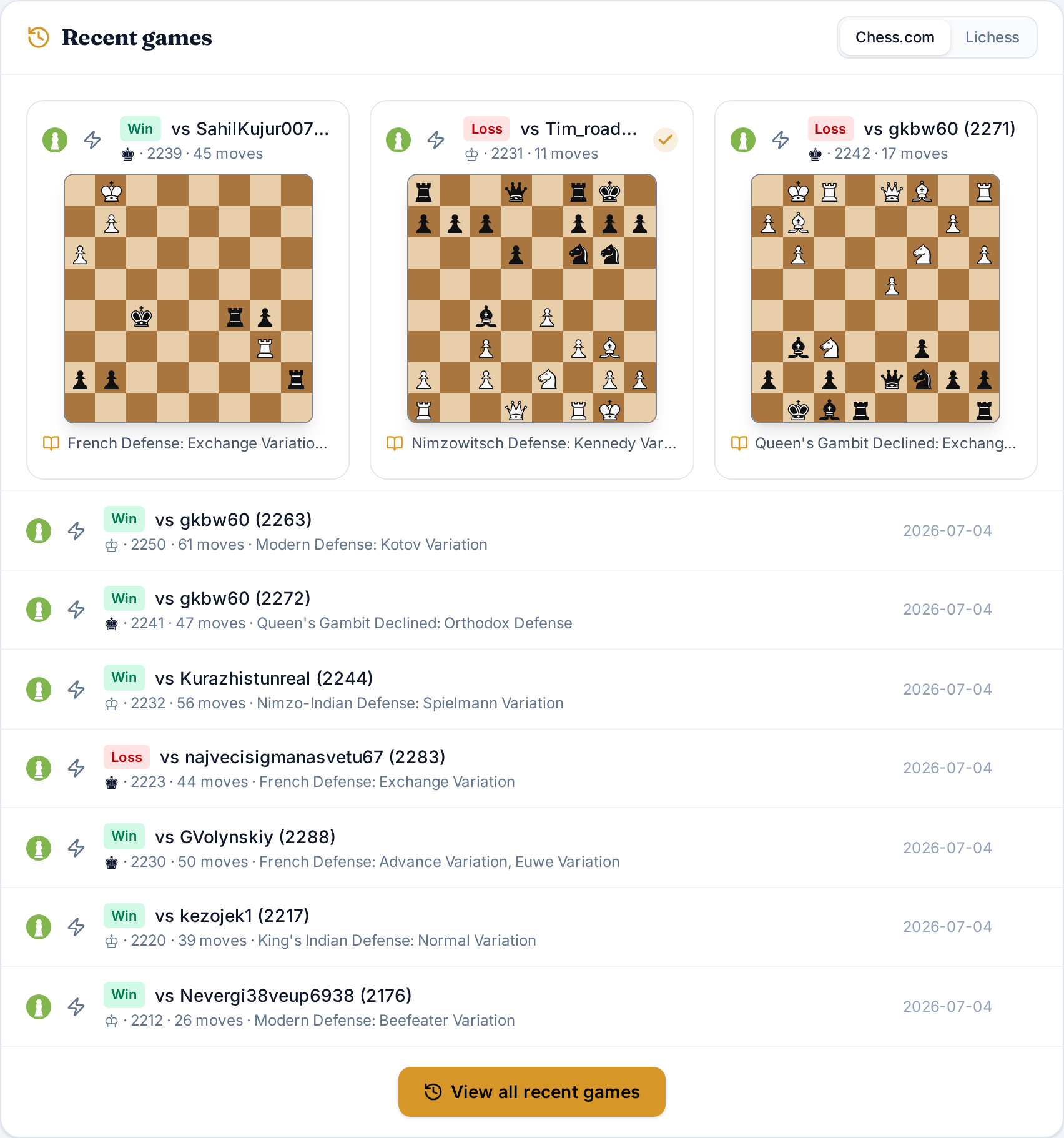
GrandChess imports your recent games straight from your Chess.com account using your username, so you can start reviewing a game within a minute.
Lichess works the same way, and you can also replay a game from a PGN in PGN Studio when you want to look at a game from somewhere else.
- 1
Enter your Chess.com username in GrandChess, or save it on your profile.
- 2
Your recent games are imported and become available in GrandChess.
- 3
Open an individual game from your list of recent games.
- 4
Step through the moves and review the classifications and critical moments.
- 5
Switch on Stockfish to investigate the positions that interest you.
What can you learn from one game?
A single game can teach you a lot.
These are all questions about this one game, and the individual game view is built to answer them.
- Which moves were my best?
- Where did I make an inaccuracy?
- Where did I make a mistake?
- Where did I blunder?
- Did I miss a winning opportunity?
- Did I miss an equalizing opportunity?
- Which moments changed the evaluation?
- Which moves were theoretical?
- Which moves were played by masters?
- Which moves belong to my repertoire?
- What could I have played instead?
- What happens if I explore another line with Stockfish?
Individual Game Analysis vs Grand Report
One game or many?
Game Analysis is about the individual game. Grand Report is about your performance across a collection of games.
Individual Game Analysis
Understand this game. Available through Recent Games.
- What happened in this game?
- Which moves were strong?
- Where did the evaluation change?
- Where did I make mistakes?
- What could I have played instead?
- Which positions should I explore further?
Grand Report
Understand your chess. Read more about Grand Report.
- How do I perform across many games?
- How do I compare with players at my level?
- What is my percentile in each pillar?
- How is my opening performance?
- How accurate is my middlegame play?
- Which endgames do I handle well?
- Where am I weaker than my peers?
- How do my results compare across the six pillars?
From analysis to training
What should you do after analyzing a game?
Reviewing a game tells you what happened in that game. To turn that into progress, GrandChess gives you training tools that work on the same skills: analyze the game, understand what happened, and keep training.
Open Grand Training Room- Tactics
- Openings
- Endgames
- Blunder training
- Puzzle themes
- Tactical mix
- Woodpecker cycles
- Daily training
Why analyze individual games?
Sometimes you need to understand one game first.
Grand Report can tell you that your middlegame performance is below the players at your level. That is useful, but it is still a number.
Individual game analysis lets you open a concrete example and see what actually happened in one of your games: the position, the decision, and the alternative you did not play.
The two work together. Grand Report shows you where to look, and game analysis shows you what it looks like in practice.
FAQ
Questions, answered.
What is Chess.com Game Analysis?
GrandChess lets you review an individual Chess.com game move by move, including move classifications and critical moments, and investigate positions further with Stockfish.
Can I analyze my Chess.com games in GrandChess?
Yes. GrandChess imports your recent Chess.com games through your username, so you can open a single game and review it without uploading a PGN by hand.
Does GrandChess show move classifications?
Yes. Individual games can include classifications such as Brilliant, Best, Excellent, Good, Inaccuracy, Mistake and Blunder, along with Winning move, Equalizing move, missed winning and missed equalizing moves, Theory, Masters move and Repertoire move where that information is available.
Can I use Stockfish to analyze a position further?
Yes. From an individual game you can switch on Stockfish and let it evaluate the position you are looking at, including its best line from that position.
Can I explore different variations?
Yes. You can play alternative moves on the board to leave the game and explore other continuations, and use Stockfish to evaluate the positions you reach.
What is the difference between Game Analysis and Grand Report?
Game Analysis focuses on one individual game. Grand Report analyzes a collection of games to assess your performance across six pillars and compare your results with players at your level.
Does Game Analysis replace Grand Report?
No. They answer different questions. Game Analysis helps you understand a specific game, while Grand Report helps you understand your broader performance across many games.
Can I analyze games without creating an account?
You can enter your Chess.com or Lichess username on the Recent Games page and review your imported games without an account. A free account saves your games and gives you access to your Grand Report and Grand Training Room.
Is Stockfish included?
Yes. The Stockfish toggle is part of the individual game view and runs in your browser, so you can use it while reviewing a game.
Does GrandChess only work with Chess.com?
No. GrandChess supports both Chess.com and Lichess usernames, and you can also replay a game from a PGN in PGN Studio.
Understand your game, move by move.
Analyze an individual Chess.com game, see what happened, and explore the positions that matter.